Running Large Language Models Fully Offline on Mobile with React Native
Published
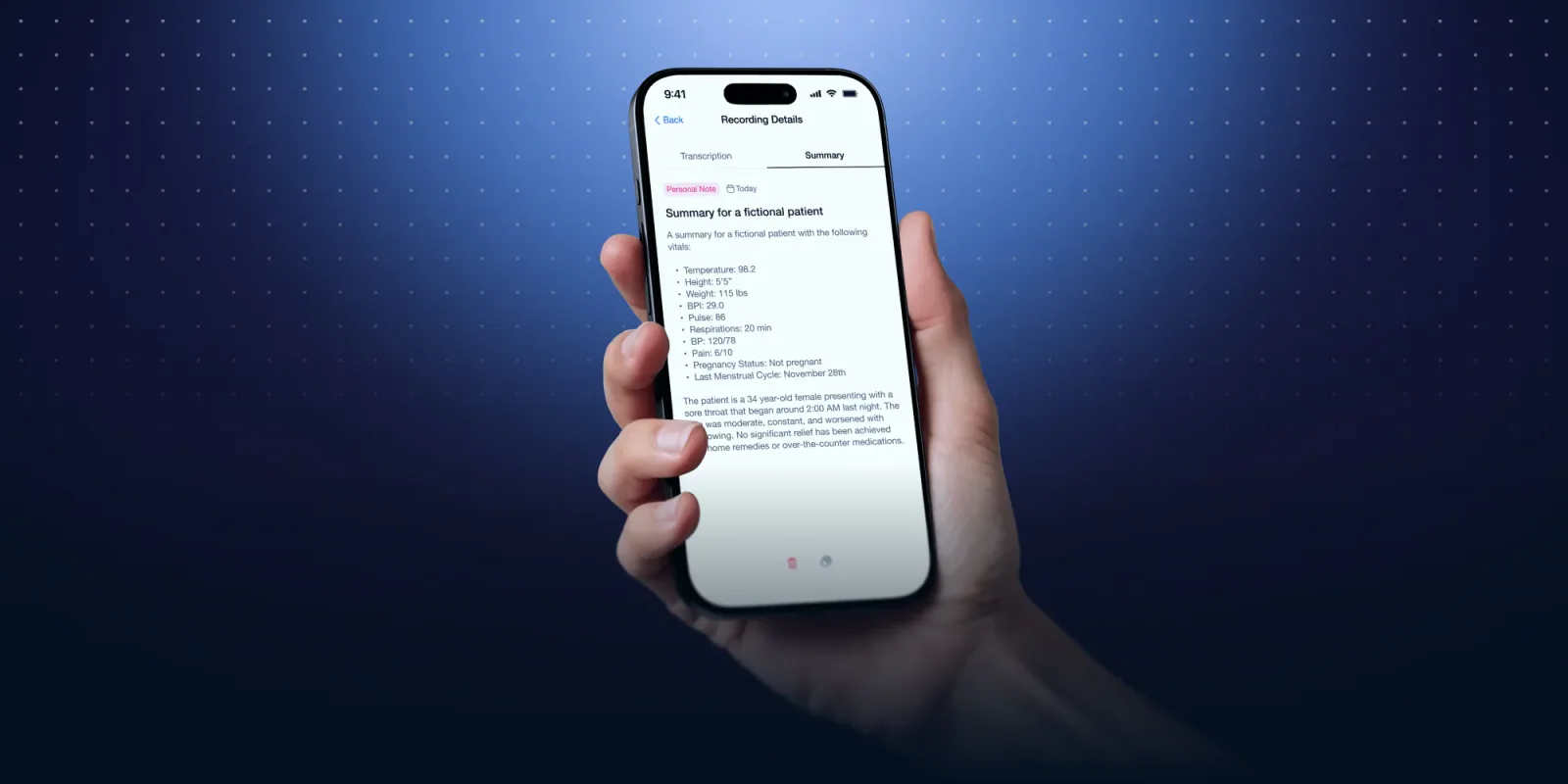
In the last few years, running Machine Learning models locally has become increasingly viable, even on constrained devices like smartphones. With the right tradeoffs, it’s now possible to run speech-to-text, text generation, and other ML workloads directly on a mobile device without relying on cloud APIs. This approach enables offline-first experiences and privacy-by-design applications, where sensitive data is processed entirely on the user’s device.
In this article, I’ll walk through my research on running local LLMs on mobile using React Native (a cross platform development framework based on TypeScript), the libraries I evaluated, the limitations I encountered, and how all of this materialized into a real showcase app called SoloAI.
Why Local ML on Mobile?#
Running models locally has a few major advantages:
- Offline-first experiences
- User privacy, no data sent to third parties
- Lower operational costs, no inference servers
- Lower latency, especially for short tasks
The obvious downside is that mobile devices have limited CPU, memory, storage, and battery. The challenge is finding the right balance between model size, performance, accuracy, and user experience.
Evaluated Libraries#
TensorFlow Lite via react-native-fast-tflite#
I initially explored react-native-fast-tflite, a performant React Native bridge for TensorFlow Lite models.
I tested some models sourced from Kaggle:
- Spam detection classifiers
- MobileBERT for question answering
- EfficientDet for object detection using the device camera
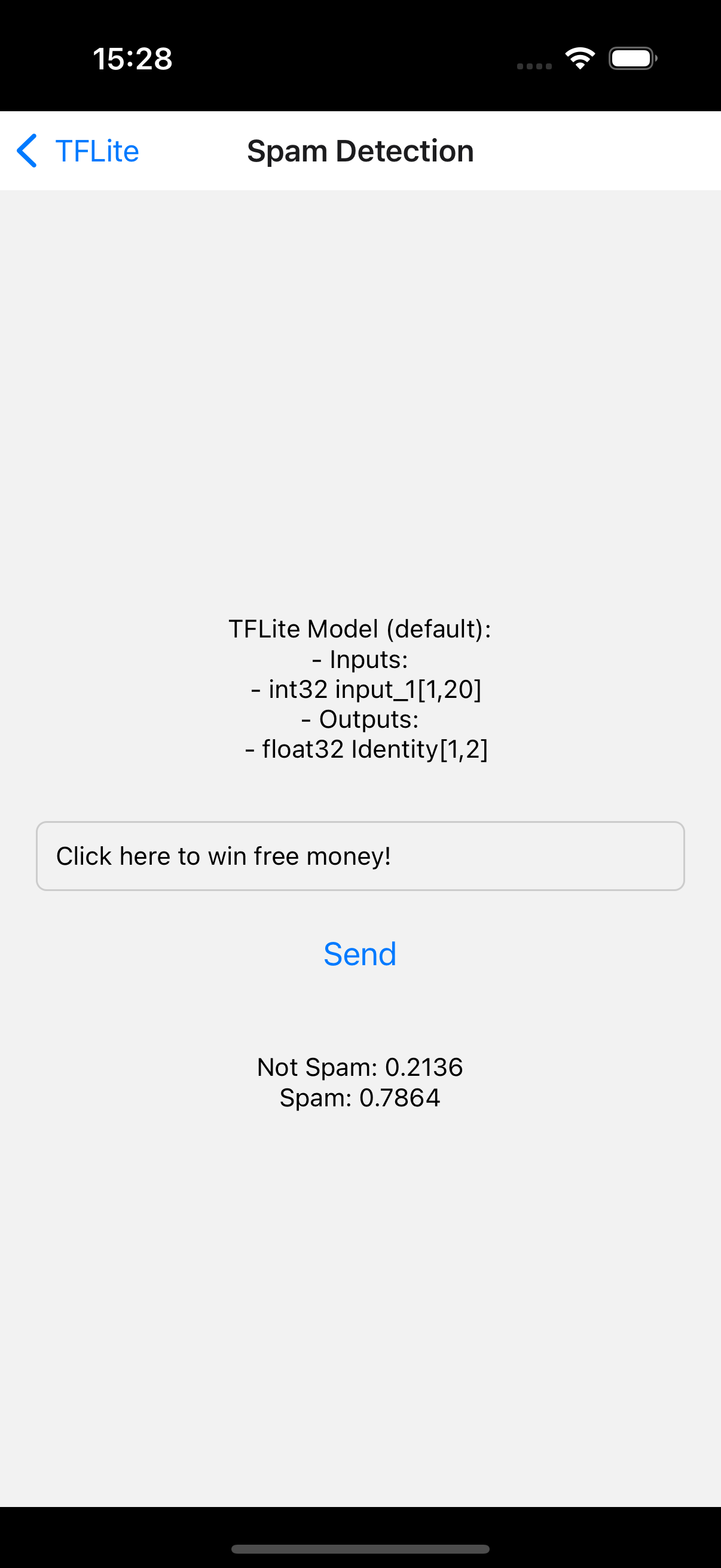
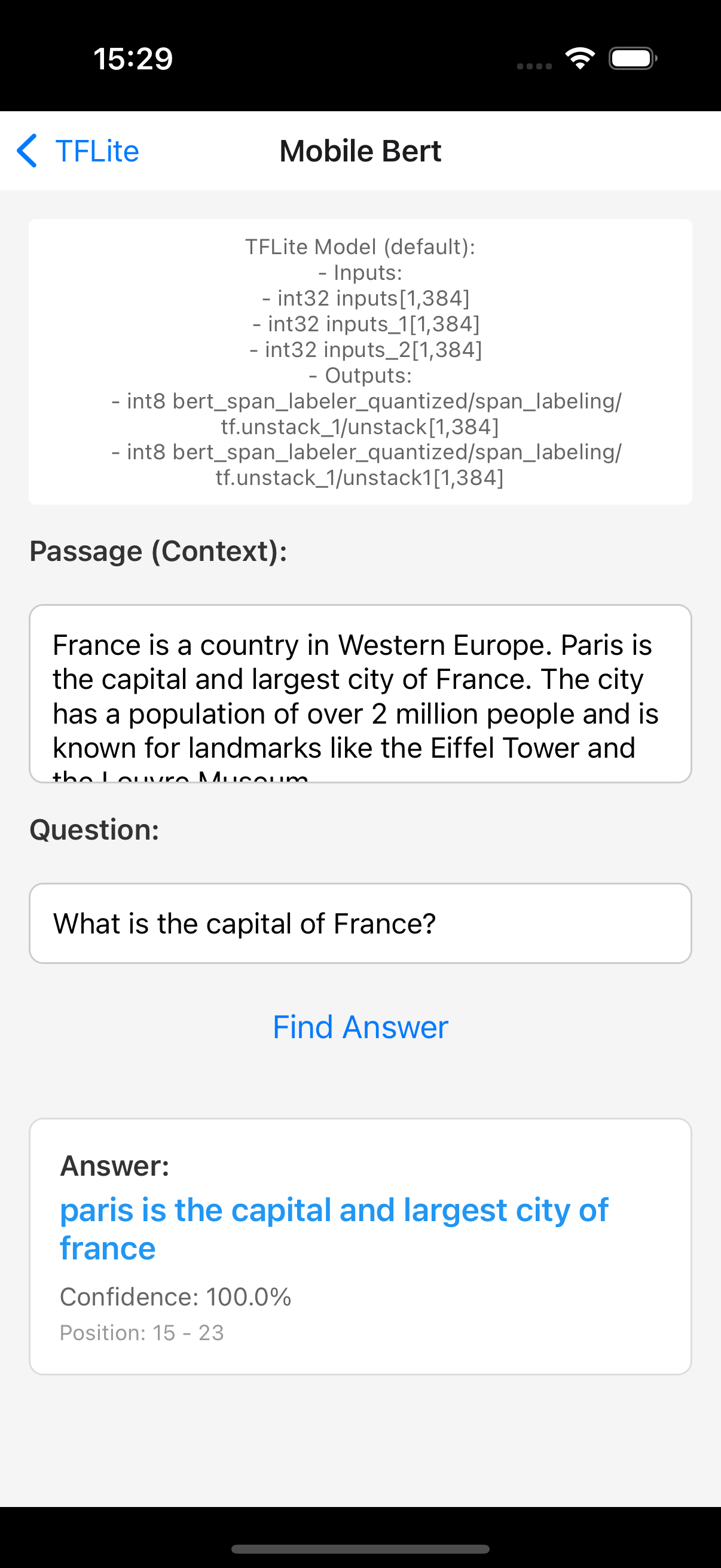
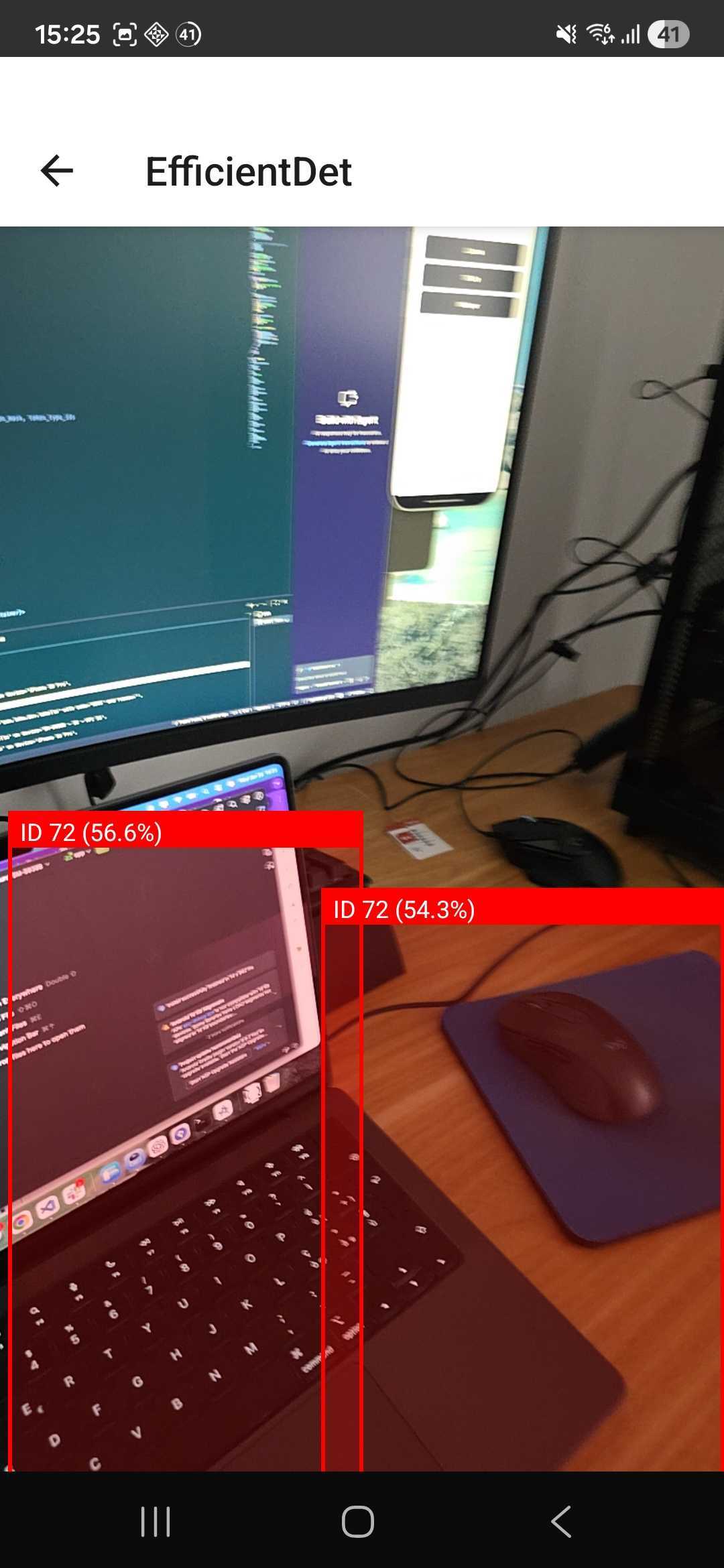
This setup worked, but the results for visual object detection were inconsistent and not always accurate enough for a polished product. Performance also varied significantly across devices.
Moreover, these TFLite models are also harder to manage compared to the Whisper and LLaMA-based approaches described later because each model needs to be analyzed and checked: which inputs and outputs it requires, how to parse tokens, and various other constraints. The preparation code is quite extensive:
  import { loadTensorflowModel } from 'react-native-fast-tflite';

  //Load the model from local path
  const handleLoadModel = async () => {
    setLoading(true);
    try {
      const loadedModel = await loadTensorflowModel(mobileBertModel);
      setModel(loadedModel);
      setModelInfo(modelToString(loadedModel));
    } catch (e) {
      Alert.alert('Error', 'Failed to load MobileBERT model');
    } finally {
      setLoading(false);
    }
  };

//Run and parse the model
  const handleRun = useCallback(async () => {
    if (!model || !question.trim() || !passage.trim()) {
      Alert.alert('Error', 'Please provide both question and passage');
      return;
    }
    try {
      const inputs = prepareInputs(question, passage);
      // MobileBERT typically expects 3 inputs: input_ids, attention_mask, token_type_ids
      const modelInputs = [
        inputs.inputIds,
        inputs.attentionMask,
        inputs.tokenTypeIds,
      ];
      const results = await model.run(modelInputs);
      const result = processModelOutputs(results, inputs);
      setOutput(result);
    } catch (error) {
      Alert.alert('Error', `Failed to run model: ${error}`);
      setOutput(null);
    }
  }, [model, question, passage]);
//Helper only for MobileBERT input/output mapper
import RAW_VOCAB from '@assets/vocab.json';
const VOCAB = RAW_VOCAB as Record<string, number>;
export const MAX_SEQ_LENGTH = 384; // Standard for BERT models
export const MAX_QUERY_LENGTH = 64;
export interface QAResult {
answer: string;
confidence: number;
startIndex: number;
endIndex: number;
}
export interface ModelInputs {
inputIds: Int32Array;
attentionMask: Int32Array;
tokenTypeIds: Int32Array;
passageStartIndex: number;
passageTokens: number[];
}
// Build a reverse lookup map once
const REVERSE_VOCAB: Record<number, string> = Object.entries(VOCAB).reduce(
(acc, [token, id]) => {
acc[id] = token;
return acc;
},
{} as Record<number, string>,
);
// 2) Tokenizer: split on whitespace and map to IDs via your full VOCAB
export const tokenize = (text: string): number[] => {
// lower-case, strip punctuation (keep only letters/numbers/space), then split
const cleaned = text.toLowerCase().replace(/[^\w\s]/g, ''); // <-- remove punctuation
const words = cleaned.split(/\s+/);
return words.map(w => VOCAB[w] ?? VOCAB['[UNK]']);
};
// 3) Prepare BERT inputs exactly as before
export const prepareInputs = (
question: string,
passage: string,
): ModelInputs => {
const CLS = VOCAB['[CLS]'];
const SEP = VOCAB['[SEP]'];
const PAD = VOCAB['[PAD]'];
// tokenize & truncate question
const qTokens = tokenize(question).slice(0, MAX_QUERY_LENGTH);
let pTokens = tokenize(passage);
// limit passage length so total ≤ MAX_SEQ_LENGTH
const maxPassageLen = MAX_SEQ_LENGTH - qTokens.length - 3;
if (pTokens.length > maxPassageLen) {
pTokens = pTokens.slice(0, maxPassageLen);
}
// build [CLS] + question + [SEP] + passage + [SEP]
const inputIdsArr: number[] = [CLS, ...qTokens, SEP, ...pTokens, SEP];
// pad up to MAX_SEQ_LENGTH
while (inputIdsArr.length < MAX_SEQ_LENGTH) {
inputIdsArr.push(PAD);
}
// attention mask = 1 for real tokens, 0 for PAD
const attentionMaskArr = inputIdsArr.map(id => (id === PAD ? 0 : 1));
// token type IDs: 0 for question segment, 1 for passage segment
const tokenTypeIdsArr = new Array<number>(MAX_SEQ_LENGTH).fill(0);
const passageStartIndex = qTokens.length + 2; // after [CLS]+question+[SEP]
for (
let i = passageStartIndex;
i < passageStartIndex + pTokens.length + 1;
i++
) {
tokenTypeIdsArr[i] = 1;
}
return {
inputIds: Int32Array.from(inputIdsArr),
attentionMask: Int32Array.from(attentionMaskArr),
tokenTypeIds: Int32Array.from(tokenTypeIdsArr),
passageStartIndex,
passageTokens: pTokens,
};
};
// 4) Post‐process logits back into text answer
export const processModelOutputs = (
results: any[],
inputs: ModelInputs,
): QAResult => {
if (results.length < 2) {
throw new Error('Expected at least 2 outputs (start_logits, end_logits)');
}
const startLogits = results[0] as Float32Array;
const endLogits = results[1] as Float32Array;
let bestScore = -Infinity;
let bestStart = inputs.passageStartIndex;
let bestEnd = inputs.passageStartIndex;
const passageEnd = inputs.passageStartIndex + inputs.passageTokens.length;
const maxAnswerLen = 30;
// find best span in the passage region
for (let i = inputs.passageStartIndex; i < passageEnd; i++) {
for (let j = i; j < Math.min(i + maxAnswerLen, passageEnd); j++) {
const score = startLogits[i] + endLogits[j];
if (score > bestScore) {
bestScore = score;
bestStart = i;
bestEnd = j;
}
}
}
// extract the token IDs for that span (relative to passage)
const startOffset = bestStart - inputs.passageStartIndex;
const endOffset = bestEnd - inputs.passageStartIndex;
const answerIds = inputs.passageTokens.slice(startOffset, endOffset + 1);
// map back to tokens and join
const answerTokens = answerIds.map(id => REVERSE_VOCAB[id] ?? '[UNK]');
const answerText = answerTokens.join(' ').replace(/##/g, '');
// approximate confidence via sigmoid of bestScore
const confidence = 1 / (1 + Math.exp(-bestScore));
return {
answer: answerText || 'No answer found',
confidence,
startIndex: bestStart,
endIndex: bestEnd,
};
};
// Default sample data
export const DEFAULT_PASSAGE =
'France is a country in Western Europe. Paris is the capital and largest city of France. The city has a population of over 2 million people and is known for landmarks like the Eiffel Tower and the Louvre Museum.';
export const DEFAULT_QUESTION = 'What is the capital of France?';This complexity pushed me toward focusing on text-based and audio-based use cases, where the results were far more reliable and the setup easier.
Speech to Text with whisper.rn#
whisper.rn is a React Native bridge around whisper.cpp, a highly optimized C++ implementation of OpenAI’s Whisper models.
It worked well, providing good transcription accuracy, even with small models, fully offline inference, and predictable performance on modern smartphones.
For the MVP, I used the ggml-tiny.en.bin model, which is around 77 MB and small enough to be bundled directly with the app.
  import {
  initWhisper,
  TranscribeFileOptions,
  TranscribeResult,
  WhisperContext,
} from 'whisper.rn/index.js';

  //Initialize the whisper model
  useEffect(() => {
    const initializeWhisper = async () => {
      try {
        whisperContextRef.current = await initWhisper({
          filePath: require('../../../../assets/models/ggml-tiny.en.bin'),
        });
        setIsModelLoaded(true);
      } catch (error) {
        console.error('Error initializing Whisper model:', error);
      }
    };
    initializeWhisper();
  }, []);

  //Run the model and get the transcritpion of the audioResoursce
  const handleTranscribeAudio = useCallback(async (audioResource: string) => {
    setIsTranscribing(true);
    const options: TranscribeFileOptions = {
      language: 'en',
      prompt:
        'Your name is SoloAI, and you are an helpful assistant that transcribes audio files to store them as notes.',
    };
    if (!whisperContextRef.current) {
      Alert.alert('Error', 'Whisper model is not loaded.');
      return;
    }
    try {
      const { promise } = whisperContextRef.current.transcribe(
        audioResource,
        options,
      );
      const result = await promise;
      setTranscription(result.result);
    } catch (error) {
      console.error('Error transcribing audio:', error);
      const errorMessage =
        error instanceof Error ? error.message : 'Failed to transcribe audio.';
      Alert.alert('Error', errorMessage);
    } finally {
      setIsTranscribing(false);
    }
  }, []);
Text Generation with llama.rn#
For text generation and summarization, I used llama.rn, a React Native binding of llama.cpp.
This enables fully offline LLM inference and support for GGUF models (LLaMA, Mistral, etc.) with no dependency on cloud APIs.
import { initLlama, LlamaContext, RNLlamaOAICompatibleMessage } from 'llama.rn';

  //Initialize the llama model
  const initializeLlama = useCallback(async () => {
    setLlamaInitialized(false);
    try {
      if (llamaModelPath) {
        const context = await initLlama({
          model: llamaModelPath,
          use_mlock: true,
          n_ctx: 2048,
          n_gpu_layers: 1,
        });
        llamaContextRef.current = context;
        setLlamaInitialized(true);
      }
    } catch (error) {
      console.error('Error initializing Llama model:', error);
      setLlamaInitialized(false);
    }
  }, [llamaModelPath]);

  //Run the model and get the summary of the giver transcription
  const handleSummarization = useCallback(async (transcription: string) => {
    if (!llamaContextRef.current || !transcription) {
      console.warn('Llama context or transcription is not available');
      return;
    }
    try {
      setIsSummarizing(true);
      const messages: RNLlamaOAICompatibleMessage[] = [
        {
          role: 'system',
          content: LLAMA_SUMMARIZATION_PROMPT,
        },
        {
          role: 'user',
          content: transcription,
        },
      ];
      const result = await llamaContextRef.current?.completion({
        messages: [...messages],
        n_predict: 100,
        stop: [...stopWords],
      });
      return result.text;
    } catch (error) {
      console.error('Error during summarization:', error);
    } finally {
      setIsSummarizing(false);
    }
  }, []);
The model used in the MVP is: Llama-3.2-1B-Instruct-IQ4_XS_imat.gguf
This model is approximately 743 MB, which introduces an important constraint.
Handling Large Models on Mobile#
Bundling a 700+ MB model directly inside a mobile app bundle is not realistic because of app store size limits, long install times and the overall poor user experience.
The Compromise#
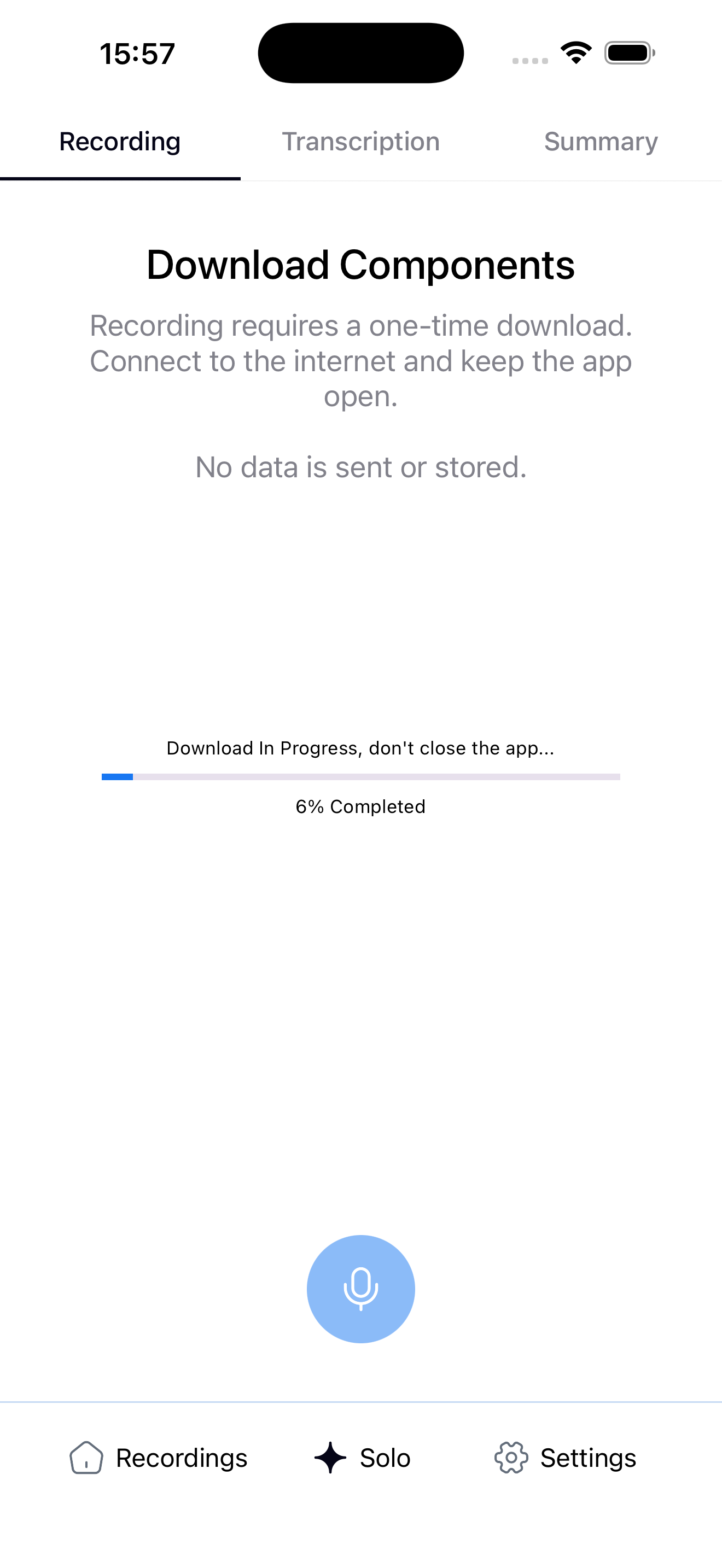
SoloAI uses a manual model download approach:
- The app works offline by default.
- The only time an internet connection is required is when the user downloads the LLaMA model.
- Once downloaded, the model is stored locally and reused indefinitely.
This setup keeps the app app-store friendly, transparent about storage usage and fully offline after initial setup.
Downloading the LLaMA Model with react-native-fs#
To handle large file downloads, I used react-native-fs, which provides reliable filesystem access on both iOS and Android.
Below is a simplified example of how the LLaMA model is downloaded and stored locally.
Example: Model Download Function#
import RNFS from 'react-native-fs';

const LLAMA_MODEL_URL =
  'https://your-cdn-or-storage.com/Llama-3.2-1B-Instruct-IQ4_XS_imat.gguf';

const MODEL_DESTINATION_PATH = `${RNFS.DocumentDirectoryPath}/llama.gguf`;

export const downloadLlamaModel = async (
  onProgress?: (progress: number) => void,
): Promise<string> => {
  const download = RNFS.downloadFile({
    fromUrl: LLAMA_MODEL_URL,
    toFile: MODEL_DESTINATION_PATH,
    progress: (res) => {
      const progressPercent =
        (res.bytesWritten / res.contentLength) * 100;
      onProgress?.(progressPercent);
    },
    progressDivider: 1,
  });

  const result = await download.promise;

  if (result.statusCode !== 200) {
    throw new Error('Failed to download LLaMA model');
  }

  return MODEL_DESTINATION_PATH;
};
Once downloaded, this path is passed directly to llama.rn when initializing the model context.
After this step, the app can run fully offline, including transcription and summarization.
Technology Stack Overview#
The entire project is built using React Native, targeting both iOS and Android from a single TypeScript codebase.
The core ML stack is composed of:
- whisper.rn: offline speech-to-text
- llama.rn: offline text generation and summarization
- @simform_solutions/react-native-audio-waveform: audio recording with waveform visualization. A custom patch was applied to support uncompressed .wav format, required by Whisper (the library originally supported only .m4a)
- @op-engineering/op-sqlite: Used to store all data locally using SQLite
- Redux: state management
App Showcase#
Onboarding & Login#
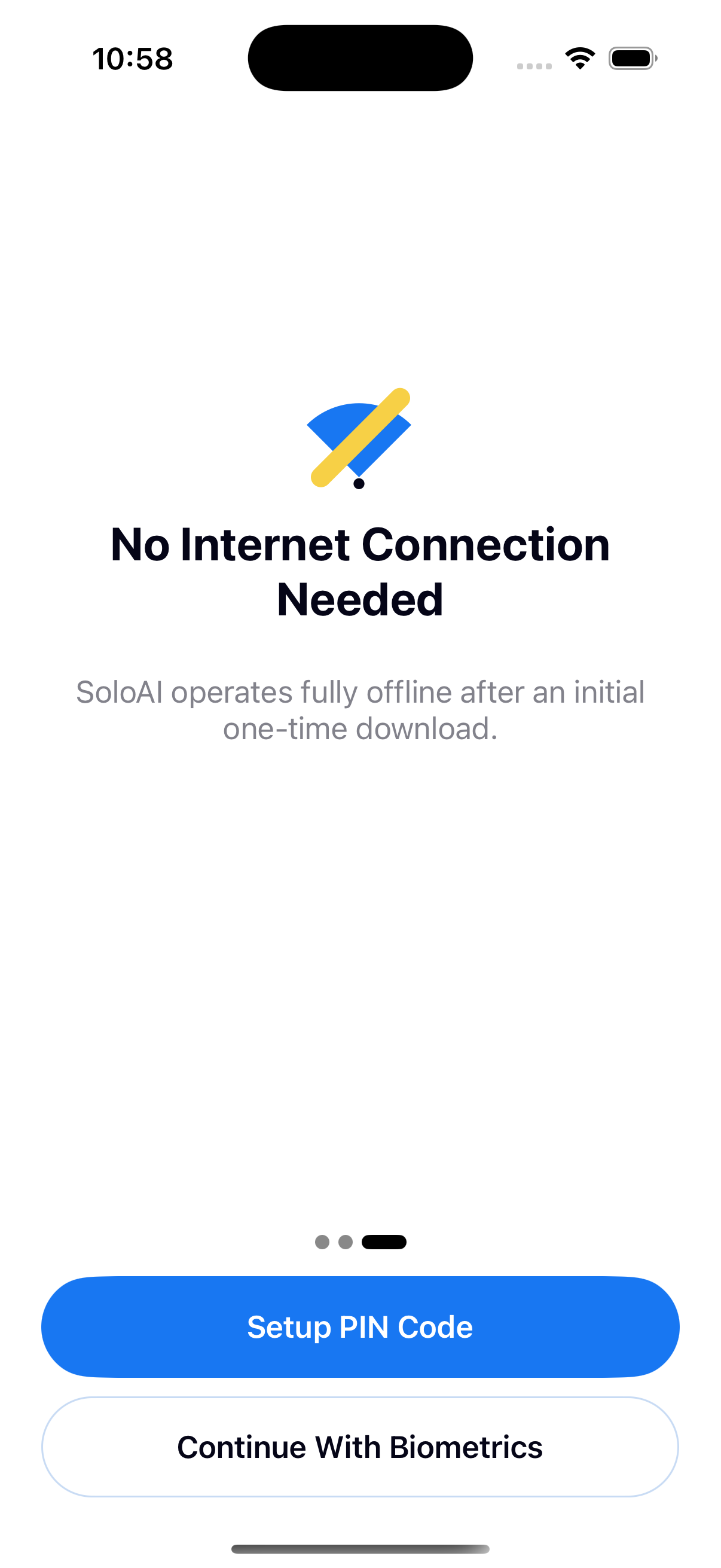
- Carousel onboarding shown on first app launch
- Explains core features and offline benefits
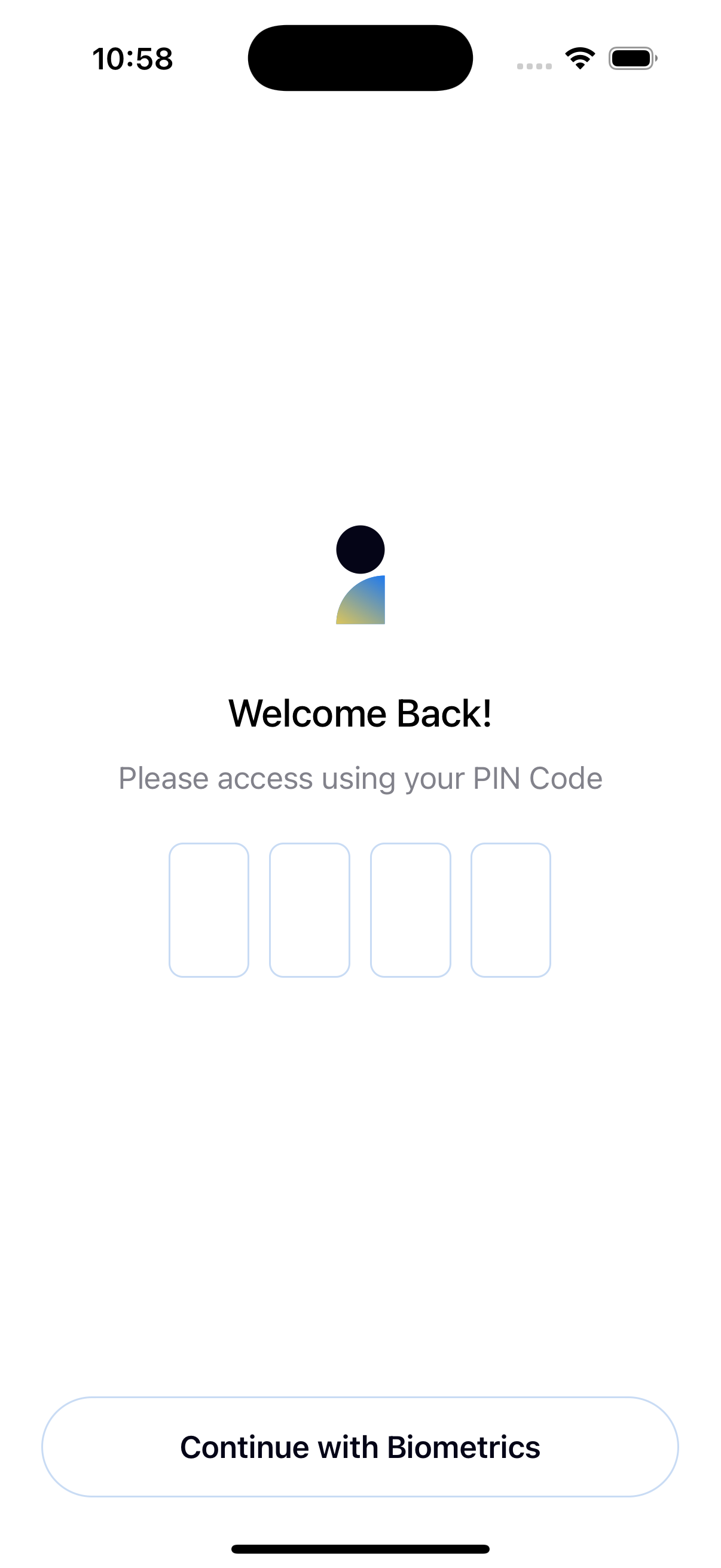
- Secure access via biometric authentication or PIN
- Ensures notes and data remain private
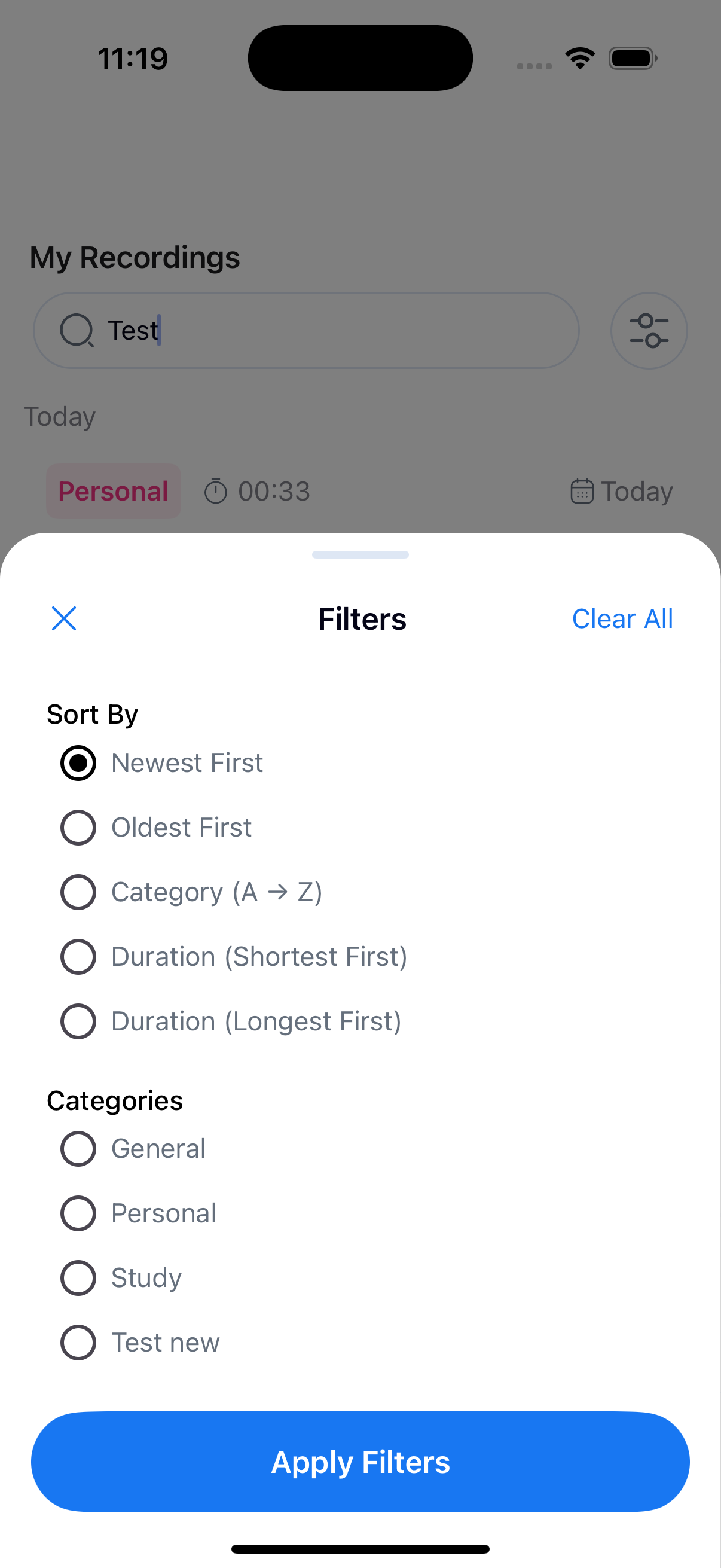
Main Dashboard#
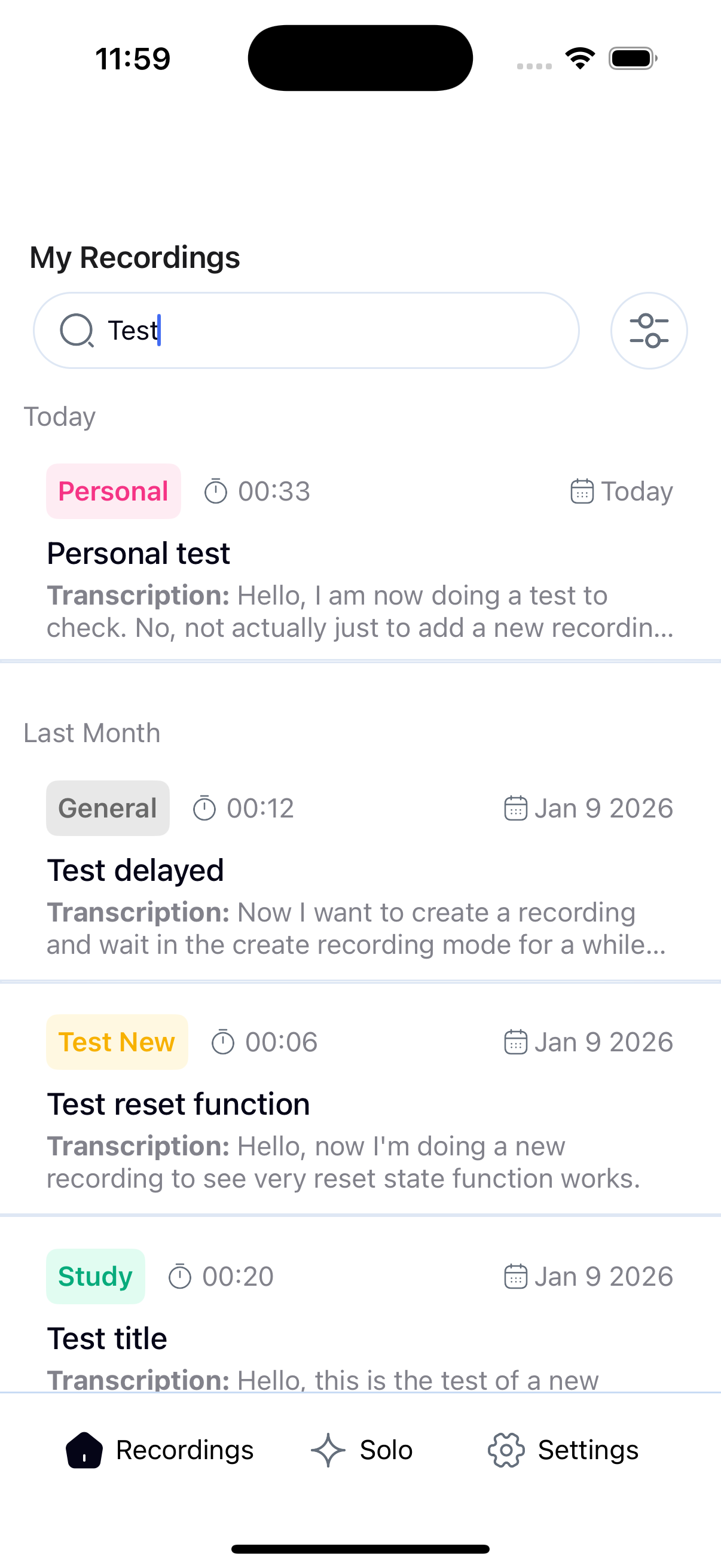
- List of all notes with:
- Category
- Duration
- Date
- Title
- First lines of transcription
- Search bar with filtering and sorting to quickly find notes
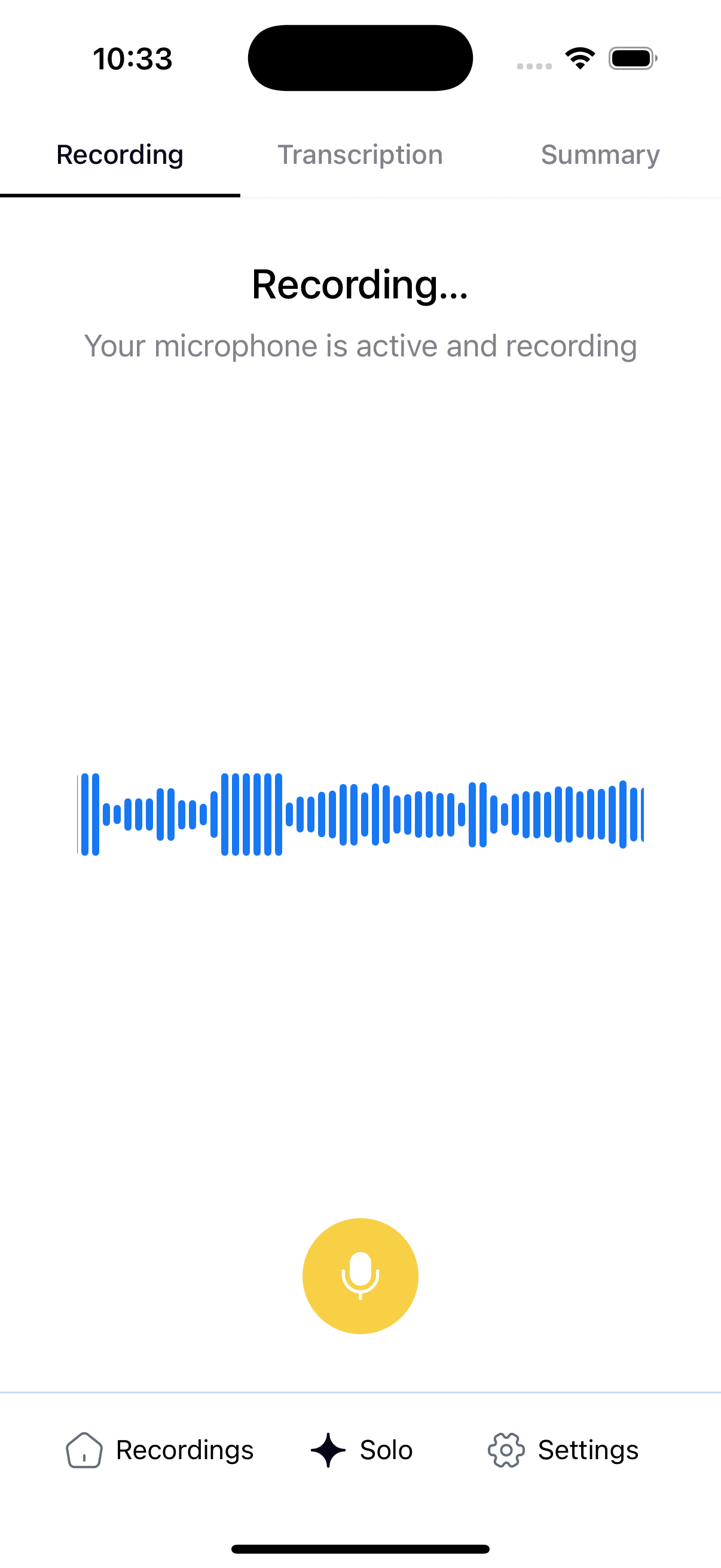
Record Screen#
- Start and stop voice recording
- Real-time audio waveform visualization
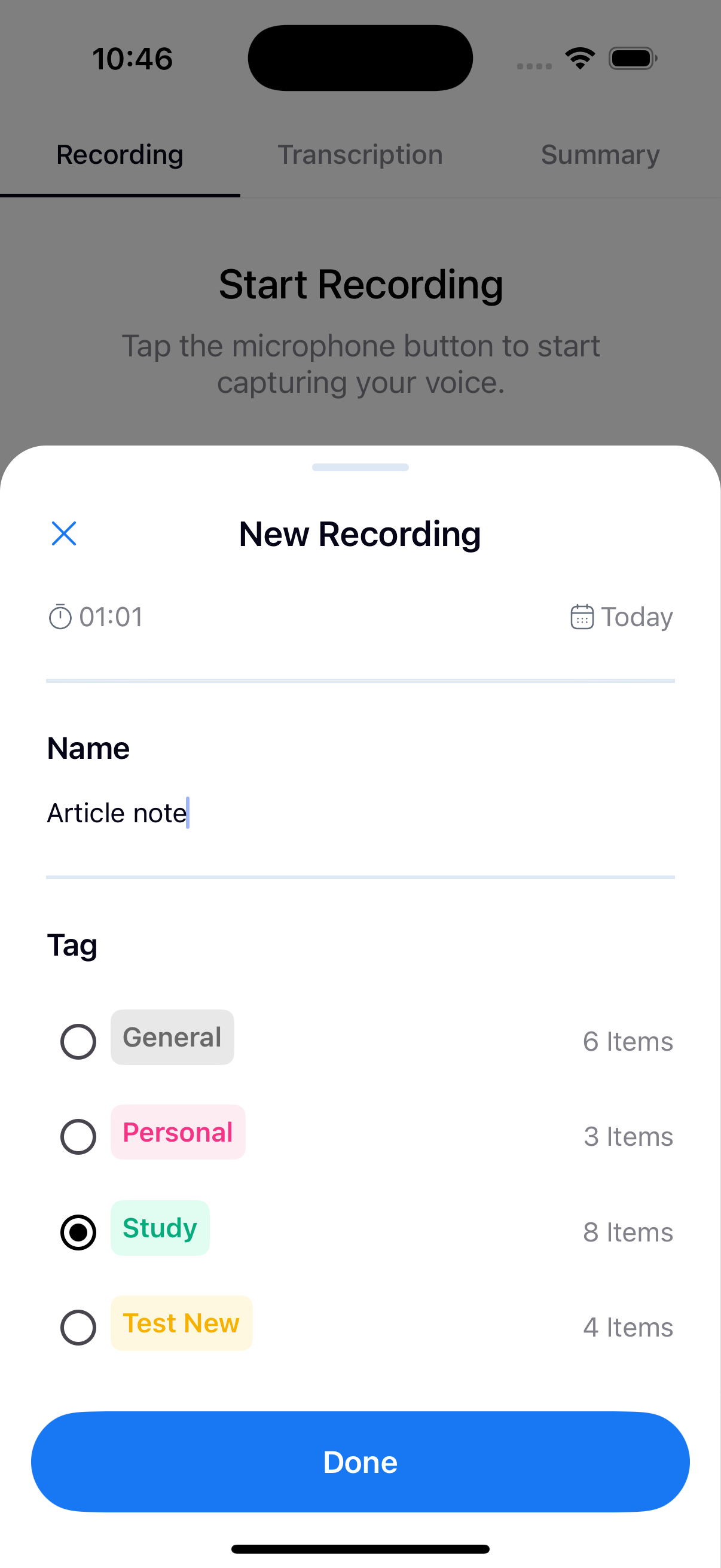
- After recording:
- Modal to choose category
- Editable note title
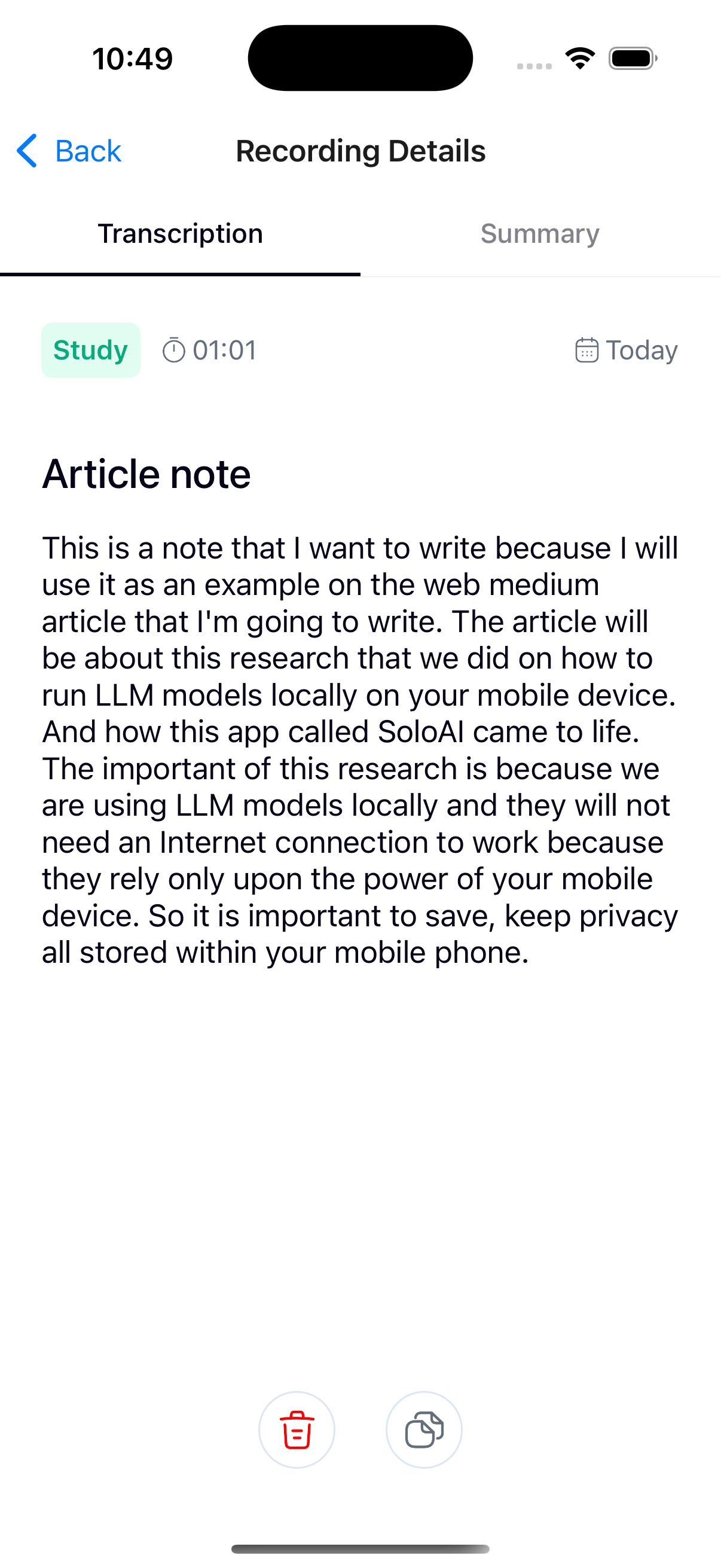
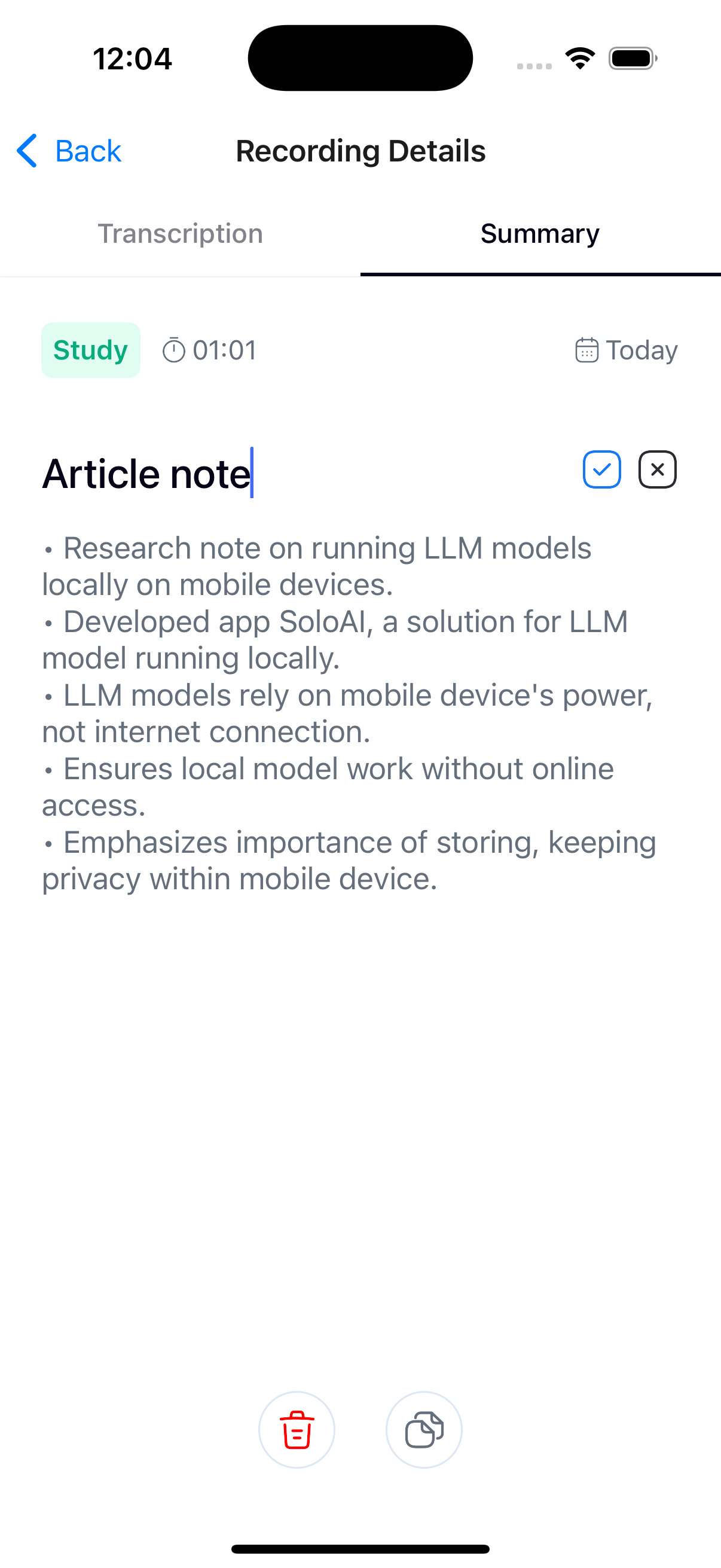
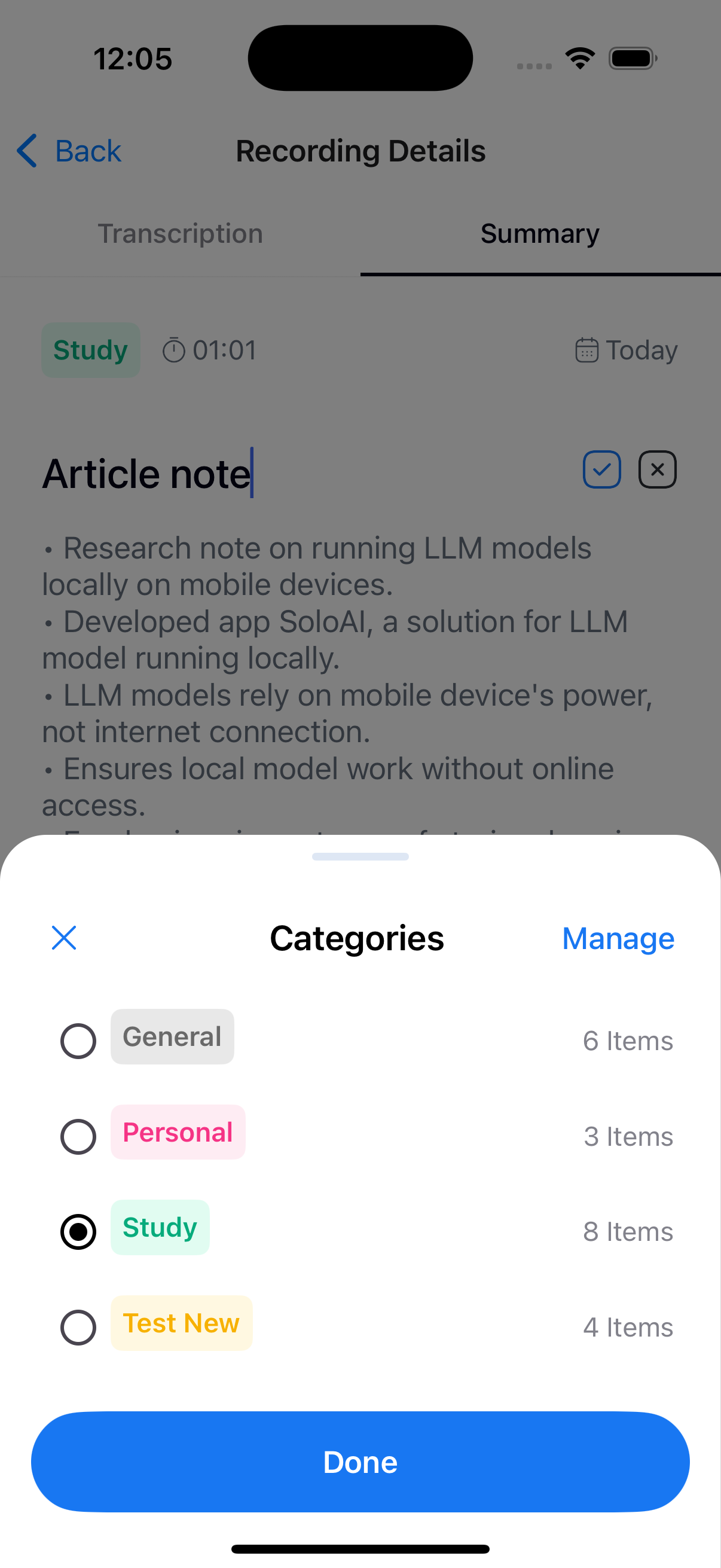
Note Detail Screen#
- Full transcription view
- Generated summary
- Actions:
- Edit title
- Change category
- Copy transcription or summary
- Delete note
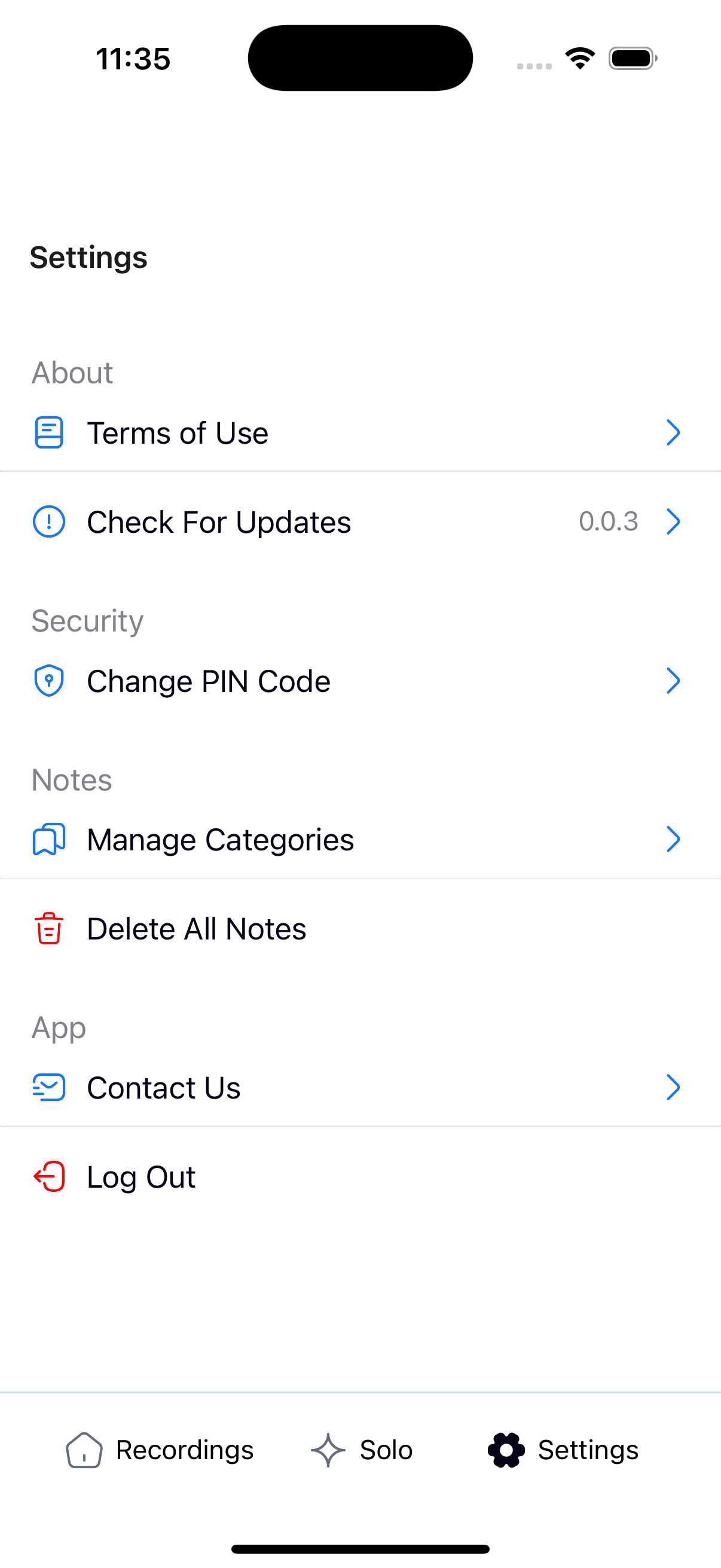
Settings & Category Management#
- Change PIN code
- Terms & Conditions
- Contact information
- Delete all notes
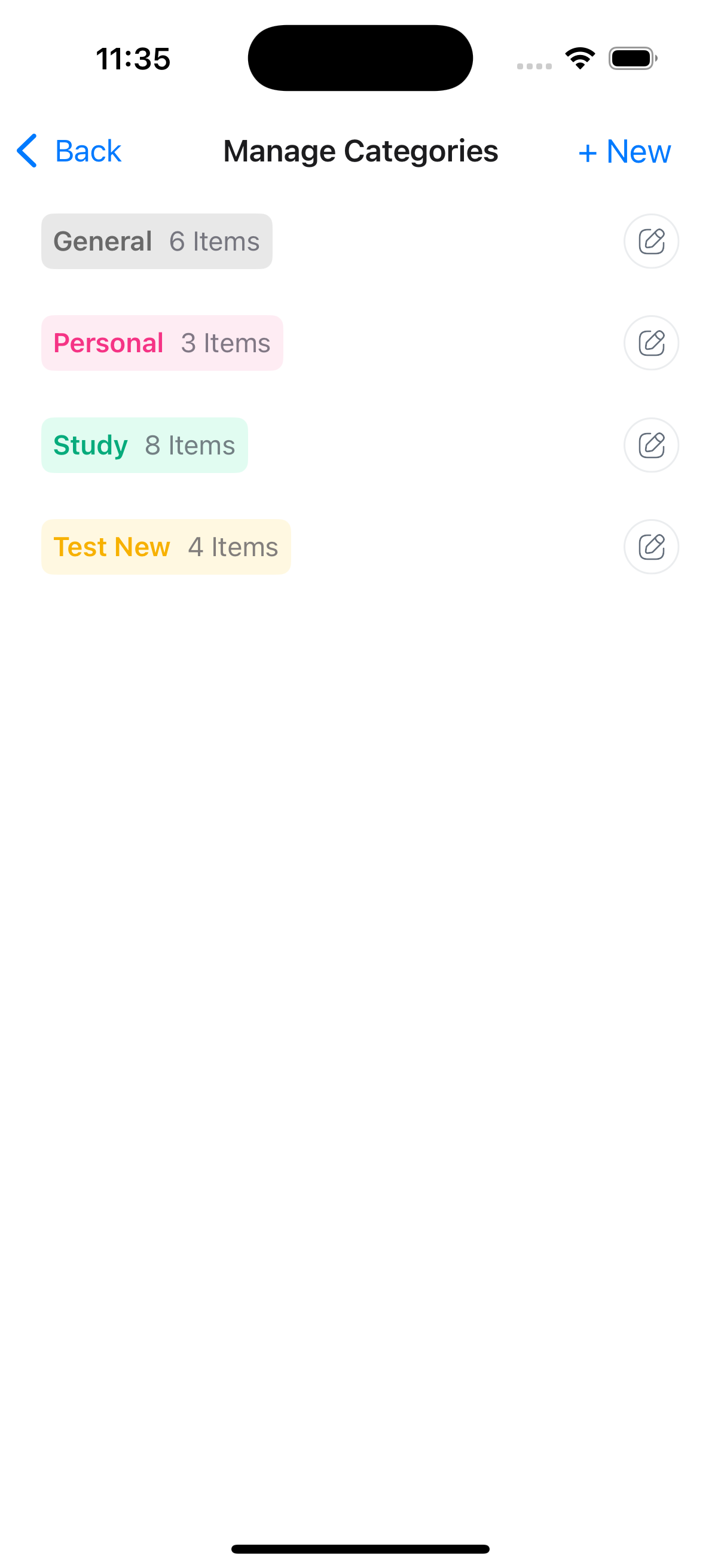
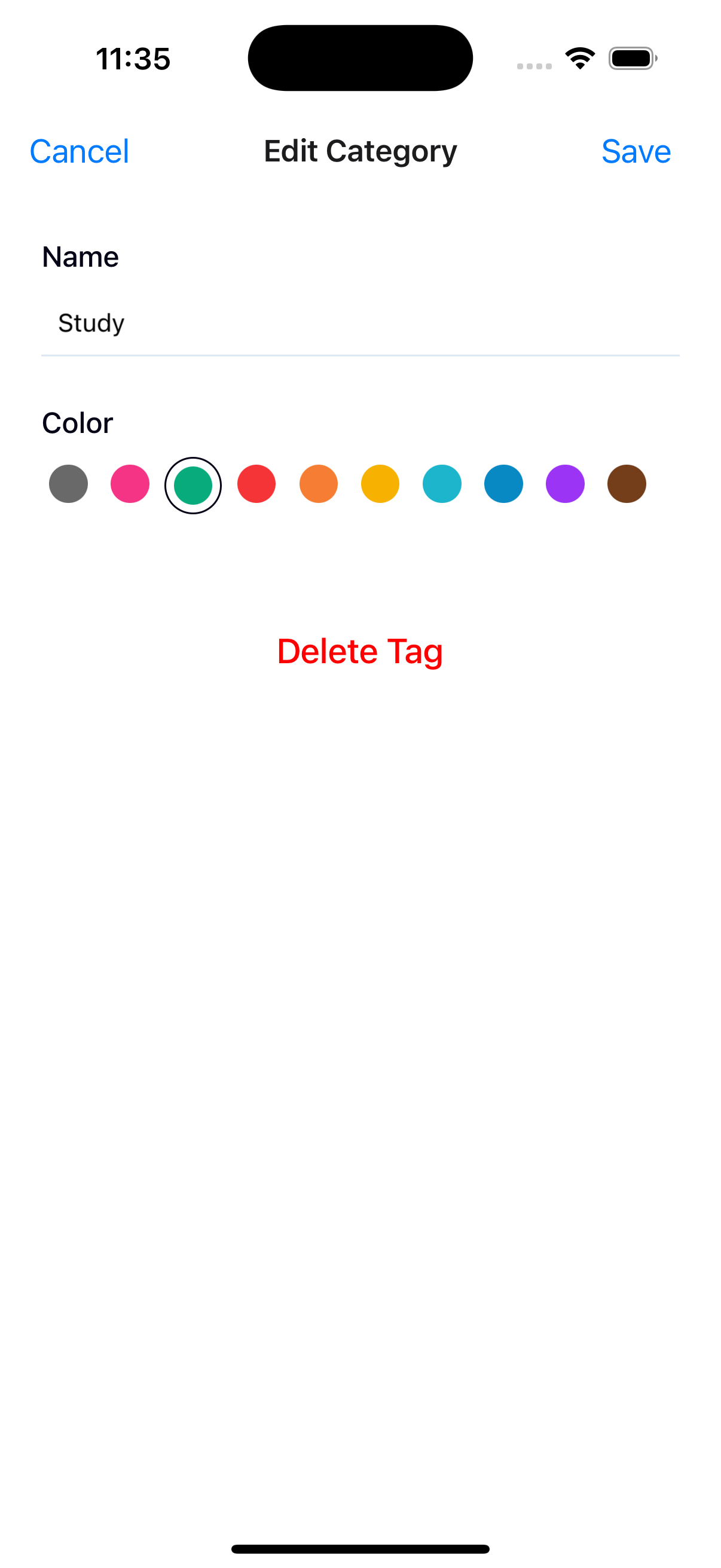
- Manage categories:
- Create new categories
- Edit name and color
- Delete existing categories
Conclusion#
This research demonstrates that running ML models locally on mobile devices is not only feasible, but practical.
While there are clear limitations related to performance, precision, and model size, the results show strong potential for fully offline applications, privacy-first user experiences and reduced dependency on cloud infrastructure.
SoloAI serves as a concrete example of how local ML can be used to build meaningful, user-facing products that respect user privacy and work even without an internet connection.
You can download and test SoloAI
App Store: SoloAI by Loka
Play Store: SoloAI by Loka
Tags